3D Render AI Art Generator

Matte clay materials, soft studio light, objects that look manufactured rather than photographed. Describe the object, pass the human check, download the file. Artlist is free.

●The style

Where the look actually comes from

The clean 3D render look comes from product visualisation, where the job is to show an object clearly before it exists. Nothing in that context is allowed to be atmospheric: the lighting is a controlled rig, the background is seamless, and every surface is a material with a stated roughness rather than something weathered by use.

The soft, toy-like variant everyone recognises adds two more decisions. Materials are matte clay with almost no reflection, so form is read purely from shading. And global illumination fills the shadows with bounced light, which removes hard edges entirely and leaves only gentle contact shadows where objects touch.

Isometric framing is the third convention, borrowed from technical drawing. Without perspective convergence, a scene reads as a diagram you can inspect rather than a place you are standing in β€” which is exactly why it suits interfaces, icons and cutaways. Say isometric to Artlist and the whole composition changes.

●Example renders

What Artlist gives you in this style

Every image below came out of the free Artlist prompt box β€” no retouching and no compositing. Where a frame belongs to a neighbouring style, the tag on it says so.

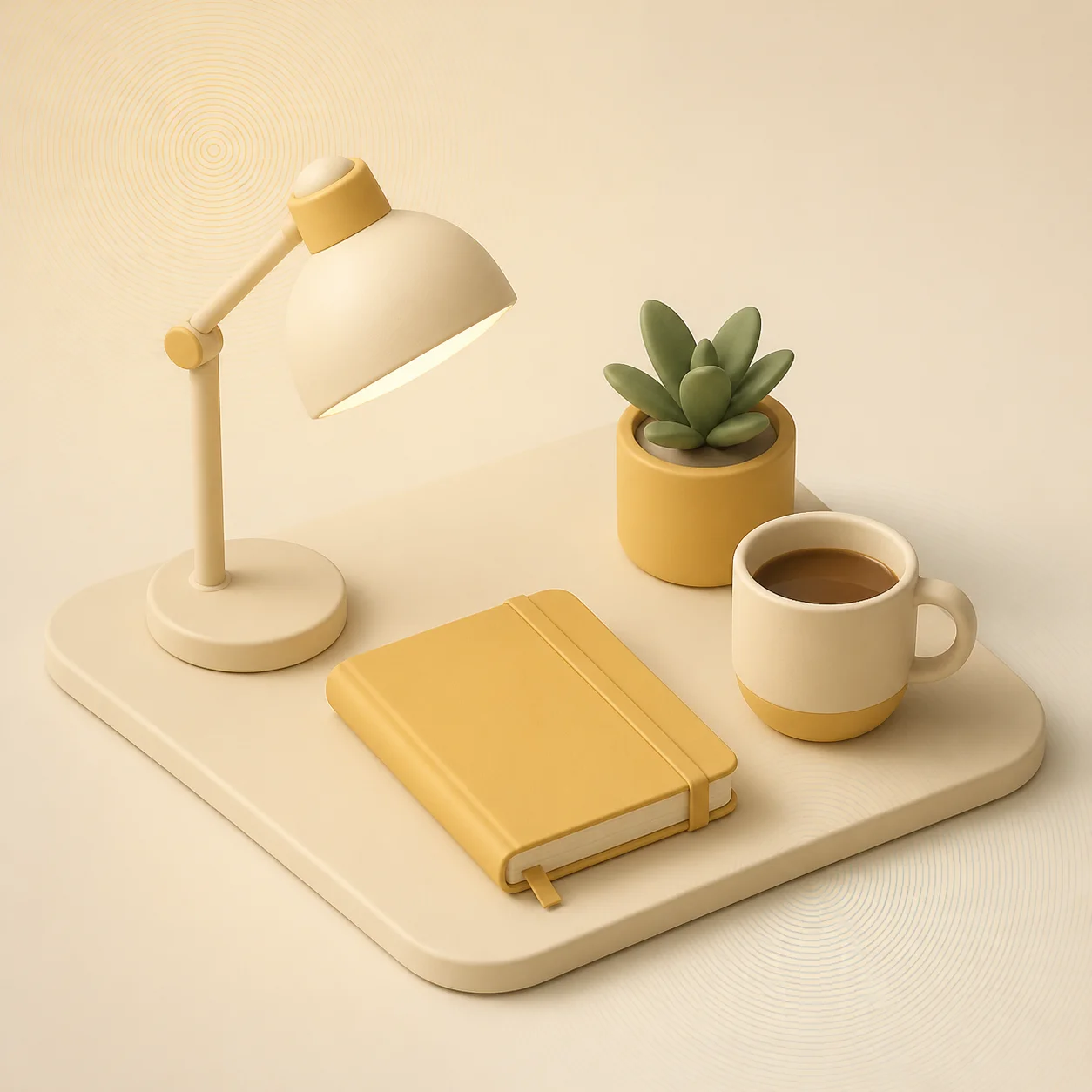
3D render3D render AI art from Artlist: an isometric desk scene with monitor, keyboard, mug and plant in soft matte clay materials under gentle studio light
Isometric sceneEvery object sits on the same angle and nothing converges, so the desk reads as an inventory rather than a photograph. Contact shadows are the only thing anchoring it.
Retro posterRetro poster AI art example: a mid-century desert highway in flat rust, cream and turquoise blocks with halftone texture
The flat cousinA retro poster arrives at the same clarity with flat ink and no lighting at all. Useful comparison: one simplifies by removing light, the other by controlling it completely.
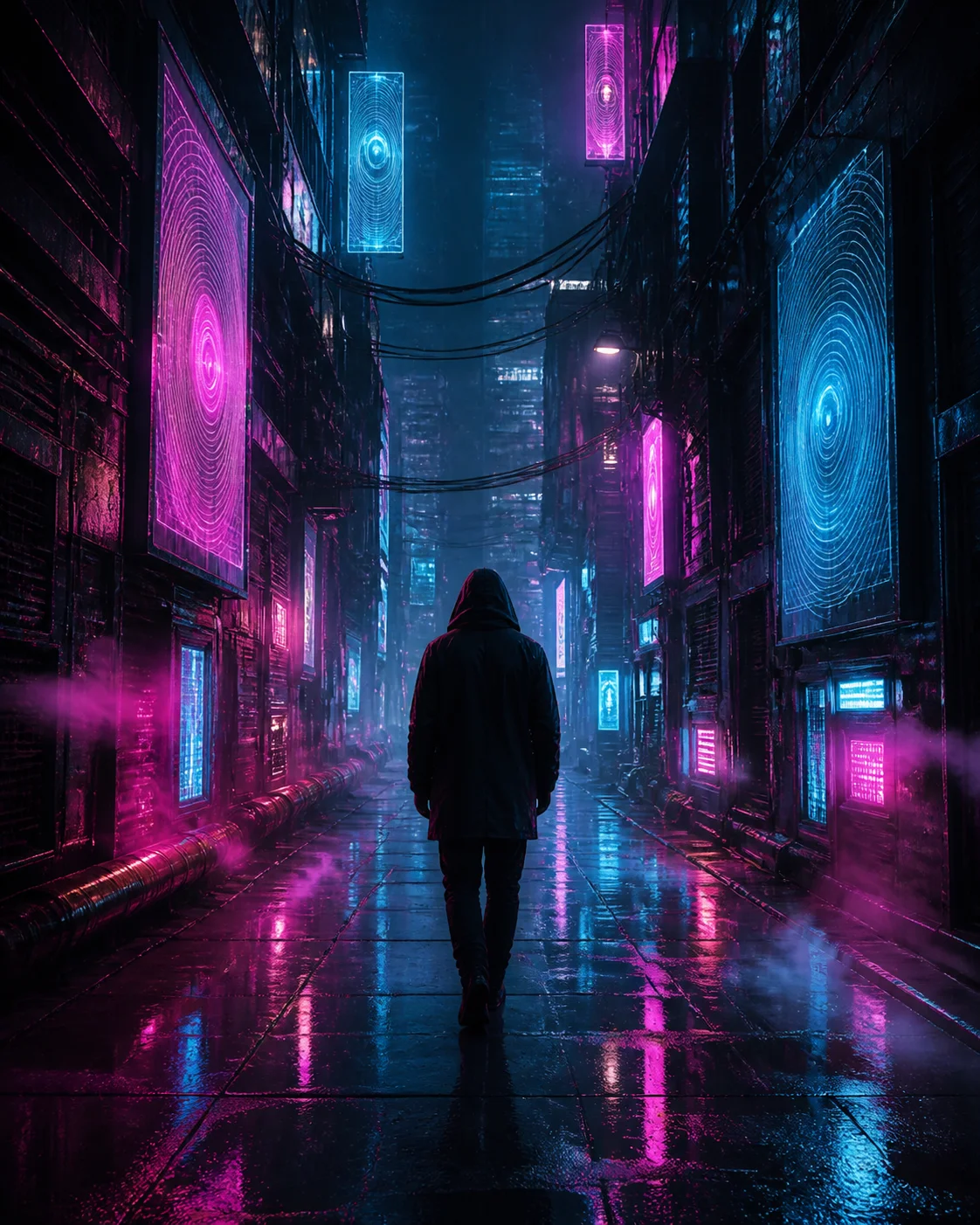
CyberpunkCyberpunk AI art from Artlist: a rain-slick neon alley with magenta and cyan signage reflected on wet asphalt and a hooded figure
Where the edge isCyberpunk is what happens when the same hardware is lit by the world instead of a studio. Dirt, haze and coloured sources β€” everything a product render deliberately removes.
●Generate now

The 3D render generator, right here

The prompt box is already seeded with a 3D render sentence. Change the subject, keep the light and lens words, and generate. No account, no credits, no watermark.

Artlist AI art generator100% freeNo accountNo watermark

A one-tap human check runs before Artlist generates your image. Prompts are never tied to an identity.

Result

Your AI artwork renders here.
Roughly six seconds, start to finish.

●Copy these

Six 3D render prompts that hold up

Paste one into the Artlist AI art generator, swap in your own subject, and leave the light and lens words alone on the first pass. Each note says what the prompt leans on.

Desk scene

Isometric 3d render of a tidy desk scene: monitor, keyboard, mug and a small plant, soft matte clay materials, gentle studio lighting, pale neutral background

Leans on: isometric framing. One word removes perspective convergence and turns a photograph of a desk into a diagram of one.

Product

A single wireless earbud case floating in soft studio light, matte plastic against brushed metal, subtle rim light, seamless pastel backdrop, product 3d render

Leans on: material contrast. Naming two materials β€” matte plastic against brushed metal β€” gives the light something to behave differently on.

Cutaway

Isometric cutaway of a tiny apartment, four rooms visible at once, clay materials with one accent colour, soft shadows, no surface textures, 3d render

Leans on: the removed wall. Asking for a cutaway is a composition instruction, not a rendering one, and it is what lets four rooms fit in one frame.

Abstract

A stack of rounded geometric shapes balancing on a plinth, soft global illumination, matte pastel materials, faint contact shadows, 3d render

Leans on: global illumination. Soft bounced light plus faint contact shadows is the entire recipe for the toy-like look, with no subject required.

Diorama

A miniature island on a floating rock with a lighthouse and two trees, toy-like clay materials, three-point studio lighting, plain gradient background, 3d render

Leans on: scale cues. Toy-like materials and a floating base tell the generator this is a miniature, so it stops trying to render a real landscape.

Technical

Close render of a mechanical keyboard switch exploded into its parts, translucent housing, matte spring, crisp edges, soft studio light, technical 3d render

Leans on: the exploded view. Separating parts along an axis is a convention from engineering drawing, and it reads as explanatory rather than decorative.

●Prompt ingredients

The words that actually move the render

Four categories carry a 3D render prompt; the rest is decoration. Pick one from each and you have a working sentence before writing any adjective about quality.

Materials

Matte clay, brushed metal, translucent plastic, soft rubber. A render is only as good as its material list β€” this is the category that decides whether the object looks manufactured.

Most important

Lighting rig

Soft studio lighting, three-point setup, global illumination, gentle rim light. Studio light is deliberately uneventful, which is what keeps attention on the form.

Controlled

Camera

Isometric, orthographic, low three-quarter view, macro. Isometric turns a scene into a diagram; a three-quarter view keeps it as an object. Pick one on purpose.

Framing

Background

Seamless pastel backdrop, plain gradient, pale neutral ground. The background exists to disappear, so name it plainly rather than describing a location.

Keep it empty

What to leave out: atmosphere. Volumetric fog, dramatic lighting and lens flare all belong to the cinematic vocabulary and they make a product render look grubby. If a render needs mood, change the material rather than the air around it.

●FAQ

3D render questions

Licensing is covered in the royalty-free AI art notes, and the general questions are answered in the full FAQ.

Name the material and the light together: matte clay materials, no reflections, soft global illumination, faint contact shadows. Shine comes from reflectivity, so removing it is a material instruction rather than a lighting one.

It removes perspective convergence, so parallel lines stay parallel. The result reads as a diagram you can inspect from outside instead of a space you are standing in, which is why it suits icons, cutaways and interface art.

It is the style the convention came from. Ask for a seamless backdrop, one or two named materials and a soft studio rig, and you get a frame that sits comfortably above a headline or inside a feature grid.

Yes. Images you generate on Artlist are yours to publish, adapt and sell. Do not prompt for an existing branded product by name β€” describe its shape and materials instead, which gives you a cleaner render anyway.

●Start now

Name the material, then the light

The 3D render AI art generator is the free prompt box above. Copy a prompt, swap in your own object, and keep the background plain.

No accountNo creditsNo watermark